Neuralinko Neuralinko

How to Choose an H100 Server Manufacturer

Time:2026-10-29 Author:Aria
0%

Choosing an H100 server manufacturer is not simply a matter of comparing GPU prices. The right system must fit your workloads, facility, and support requirements. Training large models may demand several H100 GPUs, fast interconnects, and substantial power capacity. Inference or research workloads can have different priorities. Details matter.

Compare complete server configurations, not just headline specifications. Check GPU count, memory configuration, networking, storage, and compatibility with your software stack. Ask how the system handles heat under sustained workloads. A rack that looks suitable on paper may need more cooling or power than your site can provide. Request documented thermal and performance test results for the proposed configuration. Ask for proof.

A reliable h100 server manufacturer should provide clear warranty terms, replacement procedures, firmware updates, and access to technical support. Confirm which components are covered and whether support is available in your region. Lead times and spare-parts availability also affect deployment plans. Benchmarks can help, but their value depends on matching your workload and test conditions. I would not treat a polished spec sheet as a guarantee; it is only a starting point. Compare written commitments with references, test reports, and the details of your intended deployment. No single vendor is best for every team. Careful questions can reveal gaps before a server arrives, though even a thorough review cannot remove every operational surprise.
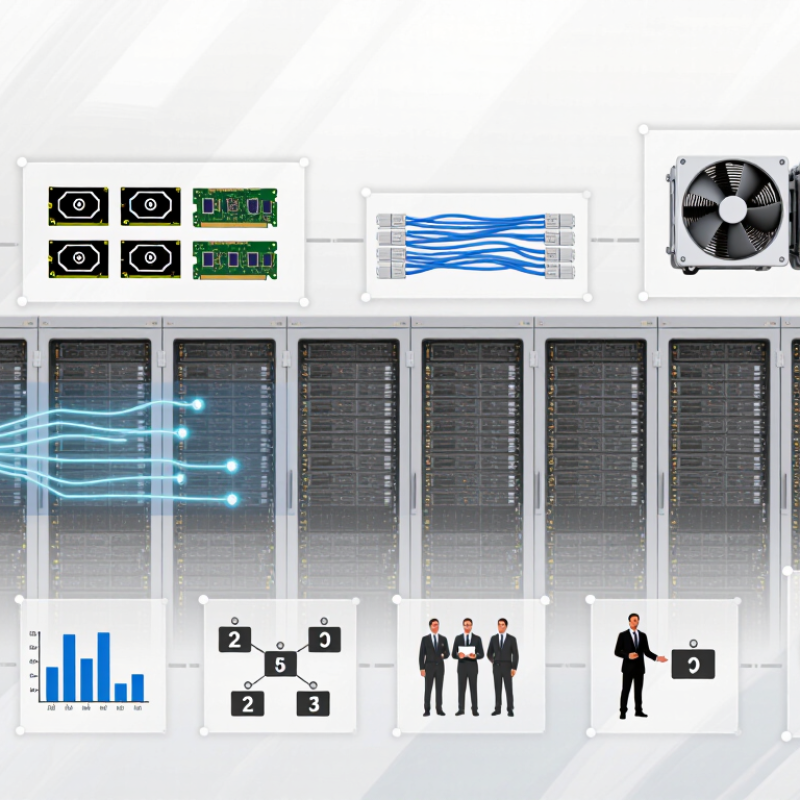
How to Choose an H100 Server Manufacturer

Define Your H100 Workload and Performance Requirements

Before comparing H100 server manufacturers, define the workload the system must run. Training large models, fine-tuning, and serving requests place different demands on memory, GPU interconnects, storage, and cooling. Record model size, precision, sequence length, batch size, concurrent users, and target response time. Small details matter. A 70-billion-parameter model with long prompts may hit memory limits before raw compute becomes useful.

Set measurable targets, then test them with representative data. Stanford’s AI Index 2024 reports that training compute for notable AI models has doubled roughly every five months. That trend makes room for growth worth planning, but it does not tell you how many H100 GPUs your workload needs.

Ask for measured throughput, time to train, and inference latency at your actual batch sizes. I would not trust a peak-throughput slide alone. It can hide inconvenient trade-offs.

Include power and cooling in the requirements. Uptime Institute’s 2024 Global Data Center Survey reported an average data-center PUE of 1.58; this is a facility-level figure, not a server efficiency guarantee. Request the system’s power draw under sustained load, thermal limits, and cooling requirements. Check rack power availability and network bandwidth too. Measure twice. Real workloads can still surprise you.

Verify Server Compatibility, Configuration, and Upgrade Options

An H100 server must match the workload, not just the GPU name. Check the exact GPU form factor, supported count, and power draw against the chassis specifications. A dense configuration can exceed a rack’s power or cooling capacity. Ask for thermal limits under sustained load, not only peak performance figures. Small details matter.

Confirm that the motherboard, CPU, memory, and network adapters work together in the proposed configuration. For example, verify available PCIe lanes and slot placement for each accelerator and high-speed network card. Check that the operating system, firmware, and driver versions support the planned software stack. Request a written configuration sheet with part-level details. A vague quote is not enough.

Look beyond the initial build. Ask whether unused expansion slots, power capacity, and cooling headroom remain for future upgrades. Find out how technicians access components and whether upgrades affect service coverage. If the vendor cannot explain a change process clearly, pause and seek specifics. Even a polished specification sheet can leave gaps. I would compare it with the rack layout and workload plan, then review any assumptions with the team responsible for deployment. Some estimates may still be wrong; test a representative workload before committing to a large rollout.

Assess the Manufacturer’s Production Quality and Technical Expertise

How to Choose an H100 Server Manufacturer

Assess the Manufacturer’s Production Quality and Technical Expertise

A capable manufacturer should show how each H100 server is built, tested, and documented—not just describe its specifications. Ask for inspection records covering GPU seating, power delivery, cooling, firmware, and network connections. Request evidence from a fully loaded system test, including temperature and error logs. A brief demonstration is useful, but it cannot replace repeatable test records.

Technical depth matters because H100 systems place heavy demands on power and cooling. Ask engineers how they handle airflow across dense GPU trays, check for thermal throttling, and validate performance during sustained workloads. Uptime Institute’s 2024 Global Data Center Survey reported that 54% of respondents’ most recent significant outages cost more than $100,000. That finding concerns data-center outages broadly, not server manufacturers specifically, but it shows why reliability testing and clear service procedures deserve close attention.

Tips: Request a sample burn-in report, warranty terms, and a written process for replacing failed parts. Ask who investigates recurring faults. A polished factory tour is not proof. I would also compare the manufacturer’s claims with a pilot deployment; small issues can surface only after days of real workloads. Verify that the proposed configuration matches your rack power, cooling, and network limits before ordering.

Compare Support, Warranty, Delivery, and Total Cost of Ownership

How to Choose an H100 Server Manufacturer

Support is more than a help-desk address. Ask who handles technical issues, when coverage applies, and how quickly urgent cases receive a response. A useful answer names the support hours, escalation path, and parts-replacement process. Request a sample service agreement. Check whether it covers system integration, firmware updates, and troubleshooting across the complete server, not just individual components. If a GPU server fails, vague promises can leave your team coordinating several vendors.

Read the warranty carefully. Confirm its duration, whether labor and shipping are included, and what happens if a component must be returned. Ask whether replacement parts are stocked nearby or shipped from another region. Delivery estimates should include configuration, testing, packaging, and transit—not just the date a purchase order is accepted. A written schedule is more useful than a confident estimate. Build in time for delays; rack installation and network checks rarely happen as neatly as a sales timeline suggests.

Compare total cost of ownership, not only the initial quote. Include power draw, cooling needs, software support, maintenance labor, and expected downtime. Ask for the assumed workload and operating conditions behind any efficiency estimate. A lower price may look attractive, but weak support can cost more when a cluster sits idle. It is tempting to focus on the GPU count. I would still compare service terms line by line; that part is less exciting, and easy to overlook.

Validate Certifications, Customer References, and Deployment Readiness

Before selecting an H100 server manufacturer, inspect certifications closely. Ask which legal entity and facility each certificate covers, and verify its validity with the issuing body. ISO 9001 can support quality-process claims; ISO/IEC 27001 addresses information security management. Neither proves that a specific server configuration is reliable. Check audit dates, exclusions, and whether subcontracted assembly is included. A PDF alone proves little.

Customer references should match your intended workload, not merely mention “AI.” Ask for deployments with comparable rack density, cooling, and operating hours. Uptime Institute’s 2024 Annual Outage Analysis found that 54% of respondents’ most recent significant outages cost over $100,000; 16% exceeded $1 million. That is not a server-vendor failure rate, but it shows why support and recovery plans matter. Request permission to speak with reference customers about fault response, replacement parts, and actual delivery dates.

Deployment readiness is visible in the details. Request a factory acceptance test covering sustained load, GPU communication, power draw, thermal behavior, and firmware versions. Confirm rack dimensions, cooling connections, network compatibility, spare-parts availability, and escalation hours before signing. A lab demo can look clean. A crowded rack tells the truth. Ask for the runbook and test logs, then have your own engineers review them. No checklist catches every bad handoff, so leave time for an on-site validation and a small pilot.

How to Choose an H100 Server Manufacturer

Validate certifications, customer references, and deployment readiness against the exact H100 configuration being offered.

The chart shows typical maximum GPU board-power ratings: 700 W for H100 SXM and 350 W for H100 PCIe. Total server power is higher. Ask manufacturers to document the exact GPU form factor, power and cooling requirements, applicable certifications, and customer deployments for the configuration you plan to use.

FAQS

How can I confirm a server fits my workload?

Check GPU form factor, supported quantity, power draw, and chassis limits. Compare these with your workload and rack capacity.

Which configuration details should I request?

Ask for a written parts list covering the motherboard, processors, memory, network cards, PCIe lanes, and slot locations. Vague quotes leave gaps.

How do I check power and cooling requirements?

Request sustained-load temperature and power figures, not just peak ratings. Compare them with rack limits and cooling capacity. Dense racks run hot.

What testing evidence should a manufacturer provide?

Request inspection records, burn-in reports, and full-load temperature and error logs. A demo is not enough.

How can I assess technical expertise?

Ask how engineers check airflow, thermal throttling, power delivery, and performance during long workloads. Have them explain their fault investigation process.

Do certifications prove a server configuration is reliable?

No. Check which facility and legal entity each certificate covers, its validity, audit dates, and exclusions. A PDF proves little.

What should I ask customer references?

Seek customers with similar rack density, cooling, and operating hours. Ask about fault response, replacement parts, and actual delivery times.

What should a factory acceptance test include?

Confirm sustained-load testing, GPU communication, power draw, thermal behavior, and firmware versions. Review the logs with your engineers.

How can I prepare for future upgrades and deployment issues?

Check spare slots, power and cooling headroom, service access, spare parts, and escalation hours. Run a small pilot; some assumptions may still be wrong.

Conclusion

Choosing an H100 server manufacturer starts with a clear understanding of your workload, such as the applications you plan to run, expected throughput, and performance targets. Use these requirements to determine the right server configuration, including compatibility with the H100 platform, memory and storage capacity, cooling, power, and options for future upgrades. A well-matched system can support current needs while leaving room to scale.

Next, evaluate the manufacturer’s production quality, engineering expertise, and ability to provide dependable technical support. Compare warranty coverage, delivery timelines, service availability, and the total cost of ownership—not just the initial purchase price. Review relevant certifications, customer references, and evidence that the servers are tested and ready for deployment. Together, these checks can help you select a capable partner and reduce the risk of delays, configuration issues, and unexpected operating costs.

Aria

Aria

Aria is a dedicated marketing professional with a deep passion for innovative strategies and a keen understanding of our company's product offerings. With a wealth of experience in the industry, Aria excels at crafting engaging content that highlights the unique features and benefits of our......