Neuralinko Neuralinko

How to Choose an AI Training Server Manufacturer?

Time:2026-10-01 Author:Henry
0%

Choosing an ai training server manufacturer is a technical decision, not merely a purchasing exercise. The right partner affects model accuracy, training speed, energy use, and future expansion. A server may look powerful on paper, yet perform poorly when GPUs communicate slowly or cooling becomes unstable.

As NVIDIA founder and CEO Jensen Huang has said, “The data center is the computer.” This idea matters when comparing manufacturers. Examine GPU compatibility, high-speed interconnects, memory capacity, storage performance, and networking design. Ask for measured benchmarks using workloads similar to yours. A result based only on peak theoretical performance is incomplete.

Look closely at the physical details. Can the rack handle sustained heat? Does the manufacturer provide liquid-cooling options? Are replacement fans, power supplies, and firmware updates readily available? These questions often matter more after deployment. A reliable ai training server manufacturer should explain total cost of ownership, including electricity, maintenance, support, and possible hardware upgrades.

Experience should be verifiable. Request customer references, deployment timelines, warranty terms, and response-time commitments. Inspect the manufacturer’s documentation before signing anything. Vague answers are warning signs.

Still, no checklist is perfect. A premium server may be excessive for smaller models. A cheaper system may become expensive through downtime. Your workload, team skills, facility limits, and growth plans must guide the final choice. The best decision is rarely the most impressive specification sheet. It is the system that remains dependable at three in the morning, when training fails and someone needs an answer.
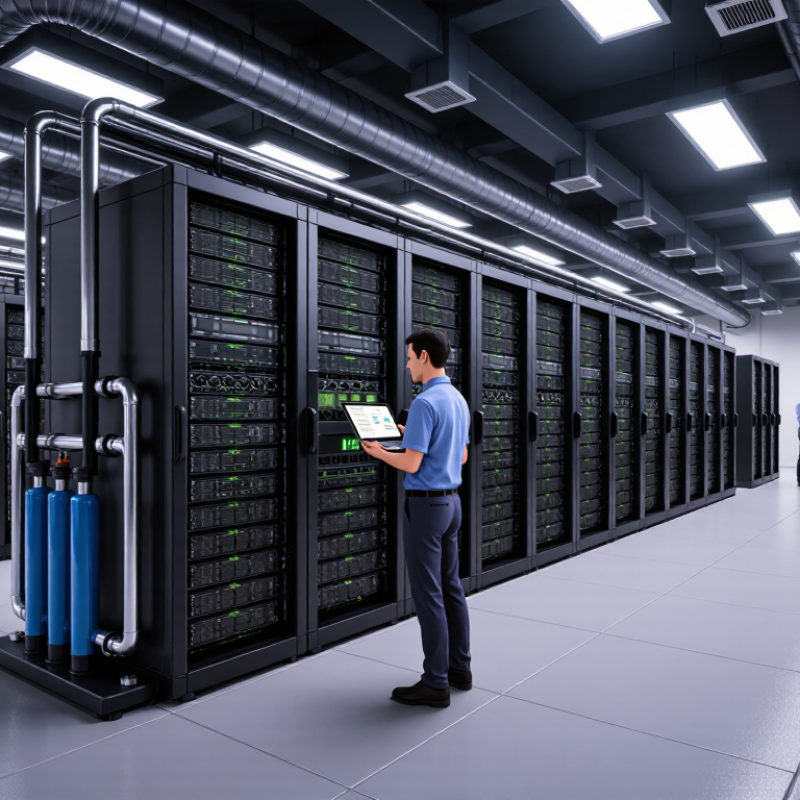
How to Choose an AI Training Server Manufacturer?

Define Your AI Training Workload and Performance Requirements

How to Choose an AI Training Server Manufacturer?

Define Your AI Training Workload and Performance Requirements

Choosing an AI training server manufacturer starts with understanding your workload, not comparing impressive specifications. Identify model size, dataset volume, training frequency, and expected completion time. A vision model may need different hardware from a language model. Measure real usage patterns when possible. Guesswork can become expensive.

Record the number of GPUs, memory capacity, storage speed, and network bandwidth your training jobs require. Check whether workloads run continuously or in short bursts. A practical test should include your own data pipeline, batch size, and software framework. Peak performance matters, but stable performance matters more. A server that overheats during long training sessions creates costly delays. It sounds obvious.

Tips: Build a small workload profile before requesting quotations. Include average job duration, GPU utilization, memory usage, and power limits. Ask manufacturers to explain testing methods, cooling design, upgrade paths, and support response times. Request measurable results instead of general performance claims.

Leave room for uncertainty. Data volume often grows faster than planned, while some models use less hardware than expected. I have seen teams overbuy GPUs and underinvest in storage and networking. That mistake weakens the whole system. Compare total operating costs, maintenance access, warranty coverage, and future expansion. A reliable manufacturer should discuss limitations openly, not only advertise peak speed.

Compare Server Hardware, Accelerators, and System Expandability

Choosing an AI training server manufacturer requires more than comparing processor counts. Start with the hardware foundation: CPU generation, memory capacity, storage speed, networking, cooling, and power delivery. A system with eight accelerators may underperform if data arrives too slowly. Check memory bandwidth and storage latency using workloads similar to yours. Spec sheets rarely show the entire picture.

Accelerators deserve careful evaluation. Compare compute precision, memory size, software compatibility, and performance under sustained loads. Short benchmark results can look impressive. Real training runs last for hours. Ask for test data, thermal measurements, and failure-rate records. I once focused too heavily on peak speed and underestimated cooling requirements. That mistake increased noise, power use, and maintenance time. It was an expensive lesson.

Tips: Request a hands-on trial with your own dataset. Confirm support for future accelerator upgrades, additional memory, faster networking, and larger power supplies. Inspect rack space and cable routes before ordering. Leave expansion slots available. A tightly packed system may perform well today, but become difficult to repair tomorrow. Also review firmware updates, spare-part availability, warranty response times, and remote management features. These details often reveal whether the manufacturer understands production environments. Ask precise questions, and document every answer.

Assess Manufacturer Expertise, Quality Standards, and Customization Options

How to Choose an AI Training Server Manufacturer?

Manufacturer expertise should appear in evidence, not polished promises. Ask how many high-density systems the team has deployed and in which environments. Experienced engineers understand GPU heat, unstable power loads, network bottlenecks, and difficult rack layouts. Request thermal test reports, power calculations, and references from comparable installations. A useful supplier can explain these documents without hiding behind technical language. That matters.

Quality standards deserve close inspection. Check whether each server receives burn-in testing, firmware validation, and component traceability. Ask for records showing temperature readings under sustained workloads, not only brief demonstrations. Reliable manufacturers should provide clear warranty terms, response times, spare-part policies, and documented maintenance procedures. Certifications can support trust, but they do not replace production discipline. A certificate alone proves little.

Customization should solve a measured problem. Discuss rack height, airflow direction, redundant power, storage capacity, network speed, and cooling design. Liquid cooling may improve dense deployments, yet it can increase maintenance demands. Make the supplier explain service access, leak monitoring, and installation training. I would also request a pilot unit before a large order. Small details matter. In practice, specifications sometimes change after testing. A strong manufacturer admits this possibility and records every revision. No checklist is perfect. Leave room for independent inspection and honest technical review.

How to Choose an AI Training Server Manufacturer

Recommended evaluation weights for assessing manufacturer expertise, quality standards, and customization options.

Manufacturer expertise and quality standards receive the highest priority because they directly affect training performance, system reliability, lifecycle support, and deployment risk. Customization remains essential for matching GPU configuration, networking, storage, cooling, power, and rack requirements to the intended workload.

Evaluate Support Services, Delivery Capability, and Total Ownership Cost

Choosing an AI training server manufacturer requires more than comparing GPU prices. Support quality often decides whether a cluster produces research or idle heat. The Uptime Institute’s 2024 Global Data Center Survey identifies power issues as a leading cause of serious outages. Ask for a named escalation path, four-hour response terms, remote diagnostics, and local spare parts. Better still, request service records for similar installations. A polished SLA is not proof.

Delivery capability deserves equal scrutiny. Confirm factory testing, export documentation, rack integration, and replacement timelines before signing. The manufacturer should provide serial-level tracking and a written acceptance test. Test one node under sustained load. Shorter delivery helps only when the system arrives stable. Total ownership cost includes electricity, cooling, software integration, technicians, downtime, and future expansion. The Lawrence Berkeley National Laboratory’s 2024 U.S. Data Center Energy Usage Report estimates that data centers may consume 6.7% to 12% of U.S. electricity by 2028. Compare performance per kilowatt-hour, not purchase price alone. Request a three-year model covering utilization, power tariffs, maintenance, and failed-component logistics. Field procurement reviews often reveal impressive benchmark scores hiding difficult firmware updates and slow replacement cycles. That gap matters. A credible manufacturer explains limits, publishes test conditions, and revises estimates when workloads change.

How to Choose an AI Training Server Manufacturer? - Evaluate Support Services, Delivery Capability, and Total Ownership Cost
Evaluation Category Key Metric Realistic Industry Benchmark Recommended Evaluation Method Decision Guidance
Technical Support Initial response time Business-hours support: 4–8 hours; 24×7 support: 1–4 hours for critical incidents Request written SLA terms and confirm whether the clock starts at ticket submission or engineer assignment. Prefer a guaranteed response of no more than 4 hours for production training clusters.
Technical Support Critical incident resolution target Remote workaround or recovery target: 8–24 hours, depending on spare-part availability Check escalation levels, remote diagnostic procedures, and the process for replacing failed components. Select suppliers that provide a documented escalation path and measurable resolution targets.
On-Site Service On-site engineer arrival Major metropolitan areas: 1 business day; other regions: 2–5 business days Ask for service coverage by installation location and whether travel costs are included in the contract. A fast remote SLA is not sufficient if on-site coverage is weak in the deployment region.
Warranty Standard warranty period Typically 1–3 years for the server chassis and major components Review coverage for GPUs, memory, storage, power supplies, fans, and labor separately. Prefer a three-year warranty when the system will run continuously or support revenue-generating workloads.
Spare Parts Local replacement inventory Common service parts available locally: 70–95%; specialized accelerator modules may require factory shipment Request a list of stocked parts, inventory locations, and estimated shipment times for non-stocked items. Local stock for power supplies, fans, drives, memory, and network components can substantially reduce downtime.
Delivery Capability Standard configuration lead time Approximately 4–10 weeks after order confirmation, subject to accelerator and memory availability Obtain a milestone schedule covering component allocation, assembly, burn-in, shipping, and acceptance testing. Use suppliers that provide a binding delivery window rather than an estimated shipping month.
Delivery Capability Configured or custom systems Approximately 8–16 weeks when custom networking, storage, chassis, or firmware integration is required Separate standard-build lead time from engineering-change lead time in the quotation. Longer lead times may be acceptable when they reduce integration risk, but milestones should be contractually visible.
Quality Assurance Factory burn-in and validation 24–72 hours of stress testing is common for high-performance server deployments Request test records for accelerator load, memory checks, storage validation, network throughput, and thermal stability. Choose suppliers that provide serial-numbered test reports and acceptance criteria.
Compatibility Software and firmware readiness Validated operating-system, driver, accelerator-runtime, and cluster-management combinations should be documented before shipment Require a compatibility matrix and a reproducible image or deployment guide for the intended training stack. A validated software stack lowers deployment time and reduces troubleshooting responsibility for the buyer.
Energy Cost Four-year electricity and facility estimate For an 8 kW server at 80% average utilization, approximately USD 33,600–43,700 over four years, using USD 0.12–0.15/kWh and PUE of 1.2–1.3 Use measured system power, local electricity rates, operating hours, and the data-center PUE rather than nameplate power alone. A lower purchase price may be offset by higher power consumption and cooling requirements.
Maintenance Cost Annual support and maintenance Approximately 8–15% of initial hardware purchase price per year for enhanced support and replacement services Compare standard warranty, extended warranty, software support, on-site labor, and spare-part charges as separate line items. Calculate support cost for the entire planned service life, not only the first warranty year.
Downtime Risk Estimated annual availability 99.0% availability permits about 87.6 hours of annual downtime; 99.9% permits about 8.8 hours Assess whether the supplier offers redundant power, replaceable fans, remote management, spare parts, and documented recovery procedures. For distributed training workloads, prioritize recoverability and fleet-level resilience over a single headline uptime figure.
Scalability Expansion compatibility Recommended planning horizon: 3–5 years for rack space, power capacity, network bandwidth, and management integration Confirm support for additional servers, compatible accelerator generations, high-speed interconnects, and centralized monitoring. Choose a platform that can expand without forcing a complete replacement of the initial deployment.
Total Ownership Cost Four-year TCO structure Purchase price + support + energy and cooling + installation + software services + spare parts − residual value Request a four-year cost model using the same utilization, electricity rate, support level, and depreciation assumptions for every quotation. The lowest bid is not necessarily the lowest-cost option when energy, downtime, and support are included.
Benchmark figures are practical planning ranges for comparing anonymous supplier proposals. Actual costs vary by accelerator configuration, region, electricity tariff, facility efficiency, service coverage, import duties, and workload utilization. All monetary amounts are shown in USD unless otherwise specified.

Verify Security, Reliability, Warranty Coverage, and Long-Term Scalability

Choosing an AI training server manufacturer requires more than comparing GPU counts. Security begins with traceable components, signed firmware, secure boot, role-based access, and documented vulnerability response times. The NIST Cybersecurity Framework 2.0 places governance and supply-chain risk at the center of operational security. Ask for independent penetration-test summaries and patch commitments. Vague answers are warning signs. They waste time.

Reliability should be measured under sustained thermal and electrical load, not a showroom demonstration. Uptime Institute’s 2024 Global Data Center Survey found that more than half of operators experienced an outage within three years. Request failure-rate data, burn-in procedures, redundant power designs, and remote diagnostic logs. Service-level terms should define response, replacement, and escalation times. A specification sheet cannot cool a failed accelerator.

Warranty coverage must include labor, shipping, onsite repair, and components excluded by high utilization. The International Energy Agency’s Electricity 2024 report projects global data-center electricity demand will more than double by 2030. Choose modular nodes, rack-level power headroom, and liquid-cooling compatibility. Expansion should not require rebuilding the room. I would still challenge every forecast. Workloads change. A long warranty means little if spare parts disappear after two years.

FAQS

What should I define before choosing an AI training server manufacturer?

Identify model size, dataset volume, training frequency, and target completion time. A vision model may need different hardware. My first estimate may be wrong.

Which hardware details should I record?

Record GPU count, memory capacity, storage speed, network bandwidth, and power limits. Also note average job duration and GPU utilization. Small details matter.

How can I test a server realistically?

Use your own data pipeline, batch size, and software framework. Test sustained training, not only a short demonstration. Real workloads reveal weaknesses.

Why does stable performance matter more than peak speed?

Long training jobs can expose overheating, throttling, or unstable power behavior. A hot server may delay results for hours. Peak figures can mislead.

What evidence should a manufacturer provide?

Request thermal reports, power calculations, deployment references, and sustained-load temperature records. Ask engineers to explain testing methods clearly. Polished promises are not evidence.

How should I evaluate manufacturing quality?

Check burn-in testing, firmware validation, component traceability, and maintenance records. Warranty terms and spare-part policies also matter. A certificate alone proves little.

When is server customization useful?

Customization should solve a measured problem, such as limited rack space or restricted airflow. Discuss rack height, cooling direction, storage, network speed, and redundant power. Avoid customization for appearance only.

What should I consider before selecting liquid cooling?

Liquid cooling may support dense deployments and reduce thermal pressure. However, it can increase maintenance demands. Ask about leak monitoring, service access, and installation training.

Should I purchase a pilot unit first?

A pilot unit can expose changes in performance, cooling, and software compatibility. Test it with realistic workloads before placing a large order. No checklist is perfect.

Conclusion

Choosing the right ai training server manufacturer starts with clearly defining your workload, model size, dataset scale, training frequency, and required performance. These factors determine the appropriate processors, memory capacity, storage configuration, networking, and accelerator options. It is also important to assess system expandability, ensuring the server can support future increases in computing demand without requiring a complete replacement.

Beyond hardware, evaluate the manufacturer’s engineering expertise, quality standards, testing procedures, and ability to provide customized configurations. Reliable technical support, predictable delivery, transparent pricing, and a reasonable total cost of ownership are equally essential. Buyers should also verify security protections, system reliability, warranty coverage, maintenance policies, and long-term scalability. A trustworthy supplier should offer solutions that remain stable, serviceable, and adaptable as artificial intelligence workloads evolve. By comparing technical capabilities, service quality, lifecycle costs, and future upgrade options, organizations can select a server partner that delivers dependable training performance and sustainable value.

Henry

Henry

Henry is a dedicated marketing professional with a profound expertise in the company's offerings. With years of experience in the industry, he possesses an impressive understanding of the market dynamics and consumer behaviors that drive success. Henry is committed to sharing his insights through......